View usage
The Usage page is the project-level breakdown of what your workloads are costing this month — by resource, by line item. Use it to investigate a spike, plan a rightsizing pass, or verify what will land on the next invoice.
Prerequisites
- An organisation you're a member of as owner or admin.
- A project with at least one billable resource. Empty projects show zero across the board.
Steps
-
Open a project from the side navigation.
-
Click Usage under the project's billing menu.
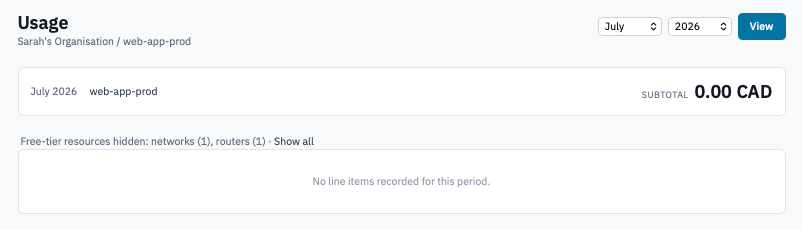
Project usage page with the month and year selectors at top.
-
(Optional) Change the Month and Year in the top-right selectors and click View.
The page defaults to the current month. You can look back at any closed month — the figures are immutable once the invoice has been issued.
-
Read the summary:
- Total (or Subtotal if your organisation has no subscription items) at the top right.
- Metered usage section underneath, broken down by resource type — compute, volumes, snapshots, floating IPs, networks, routers.
- Subscriptions panel below metered usage, if any subscription-style items apply to this project.
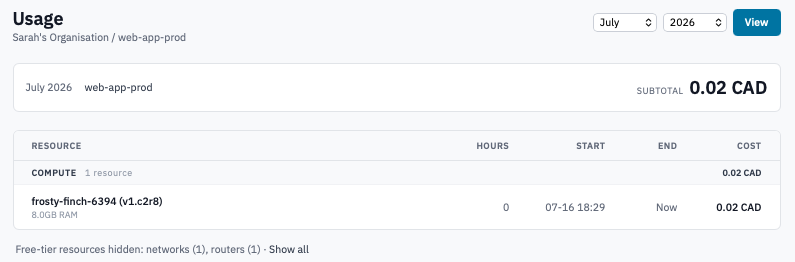
Usage breakdown showing metered line items grouped by resource type.
-
Expand any section in the metered-usage table to see the underlying line items — instance flavour-hours, volume GB-hours, floating IP days, and so on.
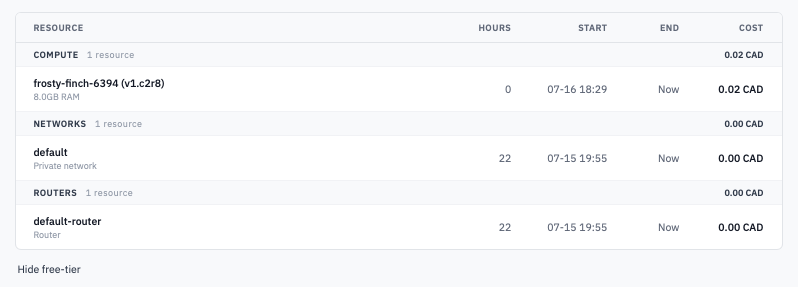
Metered usage table with a section expanded to show individual line items.
How figures are computed
- Numbers are pre-tax. Tax is applied at invoice time, after any credits and discounts.
- The current-month figure is live — it updates as resources run, are resized, or are deleted. Past-month figures are frozen once the invoice for that month has been issued.
- Resource time is measured by the hour. A volume that exists for one minute past the hour is charged for the next hour; an instance deleted thirty seconds into the hour is charged for that hour.
Verification
- Sum across every project's monthly usage page for the same month matches the This month so far tile on the billing overview.
- The invoice for a closed month exactly equals that month's usage page on the day the invoice was issued.